

Comments94Characters 921Views3min4sRead

Many people build their websites with WordPress — whether for a corporate presence, e-commerce store, international business page, personal blog, or nearly any other use case. Yet choosing the right server setup for a WordPress site often causes confusion: should you pick a cloud server or shared hosting? What’s the difference between general-purpose and compute-optimized instances? How much bandwidth do you actually need, and which operating system works best?
This guide breaks down each of these key questions to help you make an informed choice.
1. Cloud VPS vs. Shared Hosting
A cloud Virtual Private Server (VPS) is the clear preferred choice for WordPress hosting.
Unlike shared hosting — where server resources are split across hundreds of sites and system configurations are heavily restricted — a VPS gives you full administrative control over your environment. You can freely adjust performance settings, install custom software, and modify PHP and server parameters to match your exact needs.
Thanks to modern, user-friendly web-based control panels (both built-in cloud provider dashboards and popular open-source panels), running a VPS has a surprisingly low technical barrier. Many beginners find managing a VPS more straightforward than working around the rigid constraints of shared hosting.
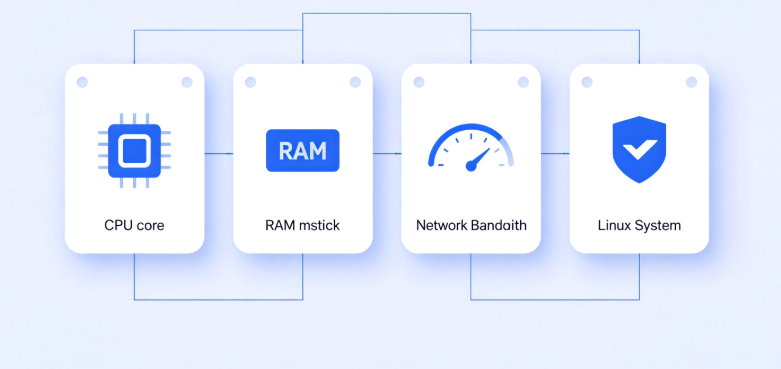
2. vCPU & RAM Recommendations
First, a quick note on instance types: for the vast majority of WordPress sites, a general-purpose instance strikes the best balance of cost, stability, and performance. Choose a compute-optimized instance only if you run heavy dynamic workloads — such as a large WooCommerce catalog with frequent database queries, real-time site features, or high-concurrency dynamic pages.
For hardware specifications, you can match your plan to your site’s scale:
- For personal blogs, hobby projects, or low-traffic sites: 1 vCPU and 2 GB of RAM will cover most basic needs. With proper caching enabled, this configuration can reliably handle roughly 1,000 daily visitors.
- For business websites, commercial projects, or small e-commerce stores with steady traffic: start with at least 2 vCPUs and 4 GB of RAM. This setup supports approximately 1,000–10,000 daily visitors and can comfortably run multiple plugins, a page builder, and WooCommerce.
- For high-traffic sites, large e-commerce platforms, or sites with dozens of active plugins: scale up to 4 vCPUs / 8 GB RAM or higher for consistent performance.
For new site owners, selecting an appropriate configuration upfront is often the most cost-effective approach — long-term cloud hosting plans typically come with significant discounts compared to month-to-month billing.
3. Bandwidth & Operating System
Bandwidth
A base bandwidth of 1 Mbps is sufficient for small to medium sites when paired with a CDN, as most static assets (images, CSS, JavaScript) are served from global edge nodes rather than your origin server.
To improve global load times and work around bandwidth bottlenecks entirely, we strongly recommend pairing your server with a Content Delivery Network (CDN) such as Cloudflare. A CDN caches your site content across edge locations worldwide, delivering faster page speeds and reducing strain on your origin server.
Operating System
For standard WordPress hosting, Linux distributions are universally preferred over Windows. Our general priority ranking, based on stability, WordPress compatibility, long-term support, and community support, uses currently maintained production-ready releases:
Rocky Linux 9 / AlmaLinux 9 > Debian 12 > Ubuntu 24.04 LTS > Ubuntu 22.04 LTS > Other distributions
Each distribution fits different user needs: Rocky Linux and AlmaLinux are ideal for teams prioritizing enterprise-grade stability and RHEL compatibility. Ubuntu has the largest global community and tutorial library, making it the most beginner-friendly choice. Debian offers minimal resource usage and rock-solid reliability for more advanced users.
Important technical note: The older CentOS 8.x reached official end-of-life and should not be used on new deployments. Rocky Linux 9 and AlmaLinux 9 are the industry-standard, drop-in replacements that provide full RHEL 9 compatibility and long-term support through 2032. Debian 12 (Bookworm) and Ubuntu 24.04 LTS (Noble Numbat) also offer excellent stability and extended security maintenance, making them highly suitable for production WordPress sites. Ubuntu 24.04 LTS receives standard support through 2029, with extended security maintenance available until 2034 via a free subscription.
Windows is generally not recommended for WordPress hosting. On identical hardware, Windows delivers noticeably worse performance for web workloads. Its graphical desktop interface consumes extra CPU and memory, and a default Windows installation uses roughly 20 GB of disk space. On a typical 40–50 GB system disk, Windows can occupy nearly half of your total storage before you deploy any site content. Only choose Windows if you have a specific technical requirement that cannot be met with Linux.
Final Verdict
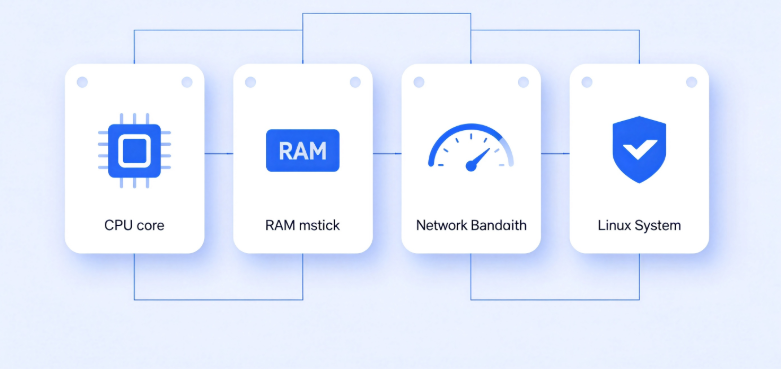
- Minimum entry-level configuration: 1 vCPU + 2 GB RAM or higher, suitable for personal sites with up to ~1,000 daily visitors
- Recommended for most business and production sites: 2 vCPUs + 4 GB RAM or higher, ideal for commercial sites and small e-commerce stores
- Instance type: General-purpose instances work for nearly all WordPress use cases; opt for compute-optimized only for heavy dynamic workloads
- Bandwidth: 1 Mbps minimum with a CDN; 3–5 Mbps recommended for media-heavy sites without a CDN
- Recommended OS: Rocky Linux 9 or AlmaLinux 9 as the top choice, followed by Debian 12 and Ubuntu 24.04 LTS. Select the distribution that best matches your technical experience and support needs.
- All major cloud providers allow you to reinstall or switch your operating system at any time, so you are never locked into your initial choice.
Why Your New Website Theme Isn’t Showing Up (And Exactly How to Fix It)
You’ve deployed a new theme, but the old design remains stubbornly visible. This widespread issue is...
How to Speed Up Your WordPress Site in 2026: The Complete Actionable Guide
Is your WordPress site slow? Follow our proven, step-by-step 2026 guide to diagnose bottlenecks and implement the six core strategies that actually speed up your WordPress website. Learn about caching, image optimization, CDNs, and more.